
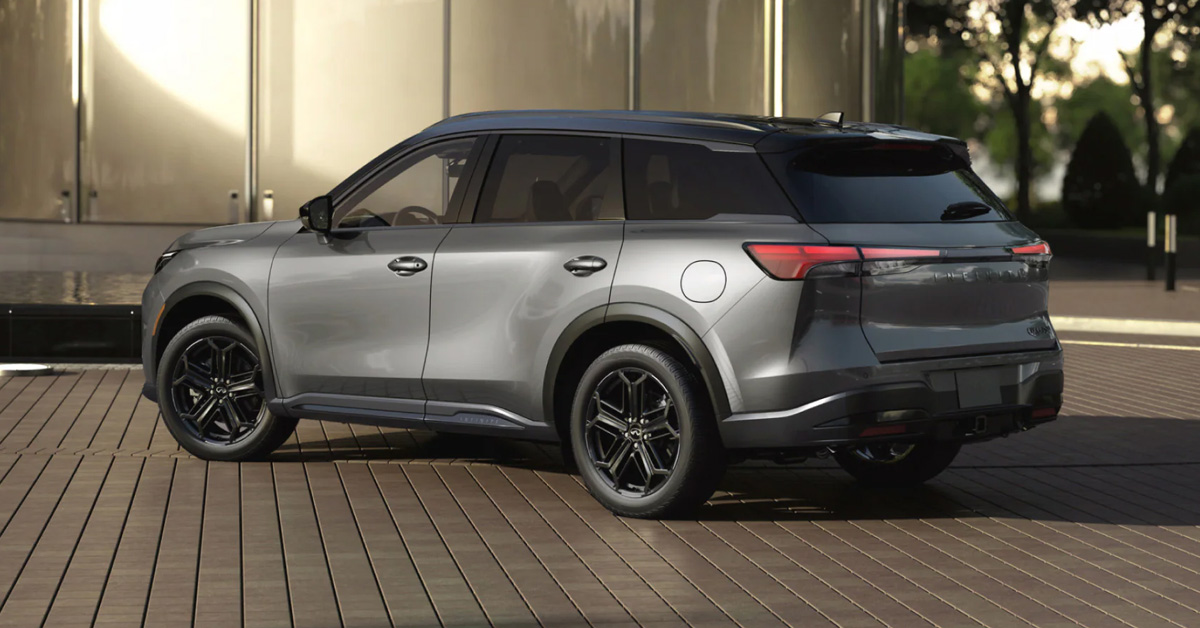
Modern INFINITI infotainment glitches in 2026 are most often caused by software update conflicts, smartphone integration issues, hardware sensitivity, power supply inconsistencies, and system setting overloads. These issues can affect navigation accuracy, touchscreen responsiveness, and audio performance in advanced models like the QX60 and QX80. Understanding what triggers these problems makes it easier to recognize early symptoms and address them before they disrupt your daily drive.
At INFINITI of Kearny Mesa, our team is here to support every part of your ownership experience, from selecting the right vehicle to expert service, genuine parts, and advanced technology support. If your INFINITI infotainment system is not performing the way it should, our knowledgeable staff is ready to help. Contact us today or stop by to experience personalized care designed around your driving needs.
What Makes INFINITI Infotainment Systems Prone to Glitches in 2026?
INFINITI infotainment systems in 2026 are more advanced than ever, but that added complexity increases the chance of glitches. Larger touchscreens, cloud-based services, and wireless phone features all rely on constant data flow. When even one part falls out of sync, problems can appear quickly.
One key factor behind INFINITI infotainment glitches causes 2026 is the heavy reliance on software. Systems now manage navigation, audio, voice control, and vehicle settings at the same time. In models like the QX60, this creates a smooth experience when everything works, but it also means small software conflicts can affect multiple features at once.
Several design and usage factors contribute to these issues:
- Frequent over-the-air software updates that may not install cleanly
- Wireless smartphone connections that compete for system resources
- High screen sensitivity that reacts to heat, dust, or wear
- Power fluctuations during startup or short trips
Modern infotainment systems also depend on steady power and clean data signals. A brief voltage drop or connection delay can trigger slow response times or temporary freezes. These issues are not signs of poor design, but rather the result of complex technology working in real-world driving conditions.
Understanding why these systems are more sensitive helps drivers spot problems early. Early awareness often makes troubleshooting simpler and prevents repeat disruptions.
Could Software Bugs Be the Most Common Cause of INFINTI Infotainment Glitches?
Software bugs are one of the leading sources of INFINITI infotainment problems in 2026 vehicles. Modern systems rely on complex code to manage maps, audio, voice commands, and screen input. When software conflicts occur, even small errors can affect daily use.
Updates are often where issues begin. Over-the-air updates improve features, but they can fail or install with errors. In larger vehicles like the QX80, the infotainment system controls more functions, which raises the risk of bugs spreading across the system.
Common software-related symptoms include:
- Touchscreens that freeze or lag
- Audio that cuts out or switches sources
- Navigation routes that fail to load
- Delayed response to voice commands
These problems often appear without warning. A system may work fine one day and act up the next. Software bugs can also stack over time, especially when updates overlap or settings conflict.
Recognizing software patterns helps narrow the cause faster. Repeated glitches after startup or updates often point to software rather than hardware faults.
How Do Smartphone Integration Issues Trigger INFINITI Infotainment Problems?
Wireless phone features add ease, but they also add risk. Many QX60 infotainment issues begin when phones fail to sync the right way. The system must handle calls, music, maps, and apps at the same time.
Smartphones update often, sometimes more than the vehicle system. When phone software changes faster than the car system, conflicts can occur. In the QX60, this may show up as slow screen response or dropped audio.
Common phone-related triggers include:
- Bluetooth links that disconnect at random
- Wireless CarPlay or Android Auto that fails to load
- Two phones trying to pair at once
- Apps running in the background during startup
These issues can feel random, but patterns often exist. Problems may start right after a phone update or when switching devices. Clearing old pairings can reduce repeat errors.
Understanding how phones interact with the system helps prevent future issues. Simple changes can improve stability and daily ease.
Can Hardware Wear or Screen Sensitivity Cause Audio and Navigation Glitches?
Yes, physical wear can affect how the system responds over time. Touchscreens rely on thin layers that sense pressure and heat. In larger cabins like the QX80, constant use can speed up this wear.
Screen sensitivity can change due to heat, dust, or age. This may cause missed taps or false inputs. Audio and map controls may react late or open the wrong menu.
Common hardware-related signs include:
- Touch areas that stop working
- Random screen inputs without touch
- Audio changes that happen on their own
- Maps that zoom or move by mistake
These issues can look like software faults at first. INFINITI tech system troubleshooting often starts with checks to rule out code errors. When problems stay the same after updates, hardware wear becomes more likely.
Catching these signs early can limit wider system impact. Early checks help keep daily drives smooth and safe.
Do Power Supply or Battery Issues Affect INFINITI Infotainment Performance?
Yes, power supply issues can affect how infotainment systems work. Modern systems need clean and steady voltage to run right. When power drops, screens and audio may act up.
Many 2026 INFINITI audio/navigation glitches link back to weak or unstable power. Short trips, low batteries, or recent jump starts can disrupt system startup. These issues may show as slow boot times or lost settings.
In vehicles like the QX60, power-related issues may include:
- Screens that restart on their own
- Audio that cuts out at low speed
- Navigation that fails to load on startup
- Systems that reset after engine start
These problems often come and go. That can make them hard to trace at first. Power checks are a key step when glitches repeat without a clear cause.
Stable power helps keep all tech features in sync. A healthy battery supports smooth daily use.
Could System Settings or User Customization Be Causing Infotainment Errors?
Yes, system settings can play a larger role than many drivers expect. INFINITI infotainment glitches causes 2026 often tie back to how features are set up. Profiles, saved apps, and custom views all use system memory.
When settings stack up, conflicts can form. This is more common in vehicles like the QX80, where the system manages many comfort and tech features. Small setting clashes can affect audio, maps, or screen speed.
Common setting-related triggers include:
- Multiple driver profiles saved at once
- App permissions that block key features
- Old paired devices still stored
- Custom layouts that overload memory
These issues may not show right away. Errors can appear after profile changes or feature updates. Resetting select settings often clears the conflict.
Keeping settings clean helps system balance. Simple setups tend to run more smooth over time.
What INFINITI Tech System Troubleshooting Steps Should Owners Try First?
Basic checks can solve many INFINITI infotainment problems. Small glitches often come from short errors, not full system faults. Starting simple saves time and stress.
In vehicles like the QX60, a clean reset can restore normal function. Turning the vehicle off and letting the system rest may clear temp data. Checking for updates can also fix known bugs.
Helpful first steps include:
- Restart the vehicle and system
- Remove unused paired devices
- Confirm software is up to date
- Check that settings match driver use
These steps are safe and easy to try. They help narrow the cause before deeper checks. If issues return, more testing may be needed.
Early action can prevent repeat problems. Simple care keeps daily drives smooth.
How Do INFINITI InTouch® Features Influence Infotainment Reliability?
INFINITI InTouch® adds strong tools, but it also adds system load. Features like live maps, voice tools, and remote access rely on data flow. When that flow slows, glitches can appear.
Many QX60 infotainment issues link to how connected services sync. Weak signal or slow data can delay screen response. Audio or maps may pause while the system waits for data.
In larger vehicles like the QX80, InTouch® manages more features at once. This includes safety views, driver aids, and media. The more tasks running, the more balance the system needs.
Common reliability factors include:
- Data signal strength
- App sync timing
- Active background services
- User sign-in status
Most issues are brief and clear once data stabilizes. Keeping connections strong helps the system respond faster. Steady access supports smooth daily use.
When Should INFINITI Infotainment Issues Be Professionally Diagnosed?
Some issues go beyond basic checks. When glitches return often, deeper review may be needed. This is where expert support helps.
INFINITI tech system troubleshooting becomes key when problems stay after resets and updates. In the QX60, repeated screen freezes or lost audio can signal hidden faults. These faults may involve wiring, modules, or system links.
Signs that point to a pro check include:
- The screen fails to start
- Audio drops during every drive
- Maps stop working with no clear cause
- Errors appear after each update
These issues can affect safety and ease. Ignoring them may lead to wider system impact. Early service can stop small faults from growing.
Expert checks save time long term. Accurate diagnosis restores smooth use.
How Can Preventive Maintenance Reduce Future INFINITI Infotainment Problems?
Preventive care plays a key role in system health. Many 2026 INFINITI audio/navigation glitches start from small issues left unchecked. Simple habits help keep systems stable.
Regular updates keep software clean and balanced. Clearing old devices and apps reduces system load. In vehicles like the QX80, this helps manage the many active features.
Helpful preventive steps include:
- Install updates as they release
- Remove unused phone pairings
- Keep the screen clean and dry
- Watch battery health
These steps take little time. They support smooth response and clear audio. Small care reduces future errors.
Consistent upkeep improves daily use. Reliable tech adds peace of mind.
INFINITI Infotainment System FAQ: Common Glitches, Causes, and Solutions
Drivers often search for clear answers when infotainment issues start to affect navigation, audio, or touchscreen response. The questions below address the most common concerns and explain why these problems happen, using the information provided.
What are the most common causes of infotainment system glitches in INFINITI vehicles?
The most common causes are software bugs, failed or incomplete updates, smartphone connectivity conflicts, hardware wear, power supply issues, and overloaded system settings.
How can software bugs affect the INFINITI infotainment experience?
Software bugs can cause screen freezing, slow response times, audio dropouts, navigation failures, and random system restarts.
Does outdated navigation or system software contribute to glitches?
Yes, outdated software can create compatibility issues, reduce system stability, and increase the risk of freezing, lag, or missing features.
Can weak or failing hardware components (screen, control module) cause infotainment issues?
Yes, worn touchscreens or failing control modules can cause unresponsive inputs, ghost touches, audio changes, and navigation errors.
How do connectivity problems (Bluetooth, Apple CarPlay/Android Auto) lead to system glitches?
Connectivity problems can cause dropped audio, failed app loading, delayed response, and conflicts when multiple devices or outdated phone software are present.
Get Expert Help With INFINITI Infotainment and Explore What’s Next
Infotainment issues can be frustrating, but clear answers make a real difference. Knowing what causes glitches helps drivers act early and avoid repeat problems. Reliable tech starts with the right support.
At INFINITI of Kearny Mesa, our team is ready to help with questions, diagnostics, and next steps. We proudly serve drivers from Serra Mesa, Tierrasanta, Clairemont, and Miramar. From service and parts to sales support, help is always close.
If you are comparing trims or planning your next upgrade, there is more to explore. Learn how features differ between the Luxe 4WD vs Sport 4WD with QX80 trim comparisons. See how performance and design evolve in QX80 updates 2026. You can also compare capability and style of the QX80 Sport vs Autograph through QX80 trim differences.
Explore our wide selection of vehicles, including the QX60 and QX80. Take your time. Find the right fit. Contact us today and keep exploring everything INFINITI has to offer.
Contact INFINITI of Kearny Mesa
Get Directions to INFINITI of Kearny Mesa
Disclaimer: All information is provided for general informational and entertainment purposes only. While we strive for accuracy, we cannot guarantee that all content is complete, current, or error-free. Any reliance you place on such information is strictly at your own risk. This article may include opinions and is not endorsed by, or officially affiliated with, any vehicle manufacturer or brand. Always consult official sources – such as the vehicle’s owner’s manual, authorized dealerships, or certified professionals – for the most up-to-date and personalized information.